Note: Initial configuration of Directory Services must be done as the local pureuser account. To do this, access the Purity GUI as the local pureuser account and navigate to the Directory Service configuration section.
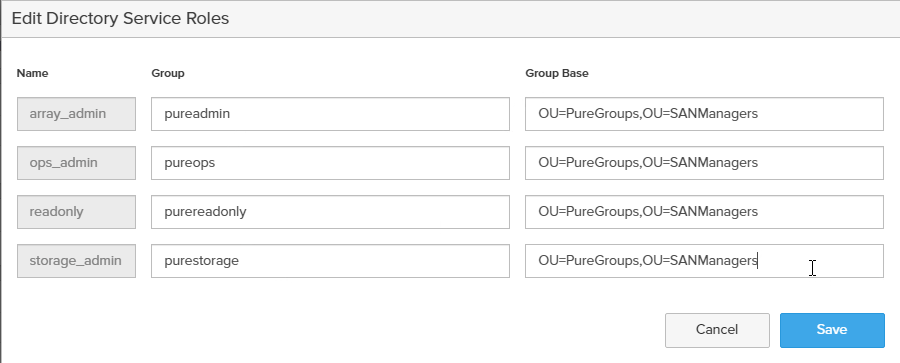
- Click from the Settings tab, click Access tab, and then,from the Directory Service section, click on Roles. to configure the Security Groups mentioned on the previous sections of this document.
- Enter the names of each Group and its corresponding Group Base corresponding to the assigned role in the Flash Array. In our example, the group pureadmin is given the
array_admin
role, the group purestorage is given the
storage_admin
role, the group pureops is given the
ops_admin
role, and finally the group purereadonly is given the
readonly
role. Save the information when completed.
- Next, click on Configuration to proceed with the Directory Service configuration. Ensure that Array Management is highlighted on the right.

- Fill in the blanks with the information gathered from Active Directory.
|
Field |
Input |
|---|---|
|
Enabled |
Select the check box to leverage the directory service to perform user account and permission level searches. |
|
URIs |
Enter the universal resource identifier (URI). The URI must include a URL scheme (ldap, or ldaps for LDAP over SSL), the hostname, and the domain. You can optionally specify a port. For example, ldap://ad.company.com configures the Active Directory server with the hostname 'ad' in the domain 'company.com' while specifying the unencrypted LDAP protocol. Note: If you define more than one DC URI here, the URL scheme and domains must match exactly. No mixing of domains is allowed, including subdomains. Acceptable:ldap://mydc.mydomain.com,ldap://mydc2.mydomain.com,ldap://mydc3.mydomain.com Not acceptable: ldap://mydc.mydomain.com,ldap://mydc2.subdomain.mydomain.com,ldap://mydc3.mydomain2.com Not acceptable: ldap://mydc.mydomain.com,ldaps://mydc2.mydomain.com,ldaps://mydc3.mydomain.com Note: The URI entry auto-fills the Base DN which is case sensitive. Please be sure to match the case used in AD. |
|
Base DN |
Enter the base distinguished name (DN) of the directory service. The Base DN is built from the domain and should consist only of domain components (DCs). For example, for ldap://ad.storage.company.com, the Base DN would be: “DC=storage,DC=company,DC=com” If you leave the field blank, the Base DN will be derived from the URI. Note: The case must match the case used in AD. |
|
Bind User |
Enter the username for the account that is used to perform directory lookups, this should be your LDAP reader account that is not tied to any actual user. Typically speaking, the bind user will be low-level account in AD, and not tied to any actual user. Purity does not require any extra permissions for the Bind user and a non-privileged account with the default users will do for our requirements. However, if you use permissions/ACL's within your provider then the Bind user will require elevated permissions. The password policy for the LDAP reader account should be set to never expire, and change should not be allowed. If the password were to expire or change, Windows users who would normally be able to authenticate with the FlashArray will lose access to the FlashArray using Directory Services. If the password were to change for the LDAP Reader account, the password would need to be set back to the way it was in AD, or updated in the Directory Service configuration to match the new password in AD. Purity uses ldap to heartbeat between the FlashArray and the Domain Controller(s). If the ldap (bind user) account cannot connect to the Domain Controller(s) for any reason, a Warning Alert will be generated and logged. |
|
Bind Password |
Enter the password for the bind user account. Note: If this password expires or changes, you will need to update it here. |
|
User Login Attribute |
Enter the logon name attribute used in your Directory domain. The logon name must be 20 or fewer characters and be unique among all security principal objects within the domain. It defaults to sAMAccountName for ActiveDirectory, or uid for other directory services. |
|
User Object Class |
Enter the object class used in your Domain domain that define the accounts. It defaults to User for AD, posixAccount or shadowAccount for OpenLDAP, posixAccount for posix compliant servers, or person for all others. |
|
Check Peer |
Select the check box to validate the authenticity of the directory servers using the CA Certificate (TLS will be used to secure the connection). When using ldap:// in the URI, this box had no effect until 6.4.8; starting with 6.4.9, this box will always force certification validation with TLS. However, it is recommended to keep this box unchecked when using ldap://. When using ldaps://, unchecking this box will allow self-signed certificates. |
The following is an example of completed fields:

When using LDAPS:
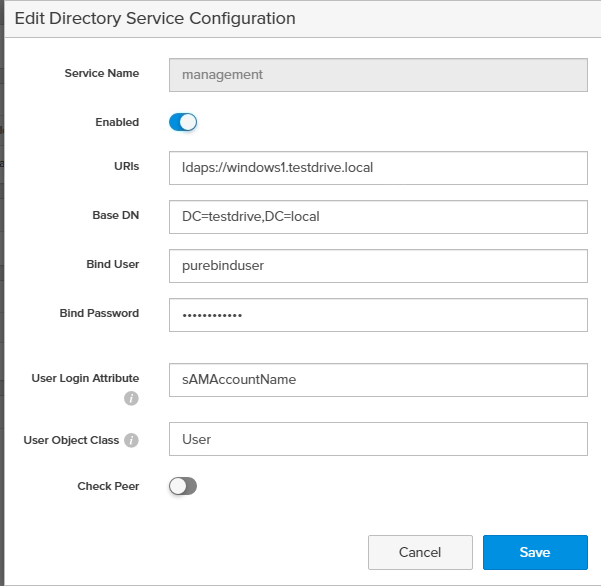
-
Press Save.
-
Additional information and configuration is required for TLS support. If you want encrypted communication and have already enabled SSL on the AD server, setting the URI scheme to ldaps:// is adequate. However, if you also want server authentication, you need the PEM certificate of the AD server (base64 encoded x.509). Once SSL is enabled, the entire AD bind and query session is encrypted. Complete the below few steps to configure TLS support. Only one certificate can be configured at a time, so the same certificate authority should be the issuer of all directory server certificates. The certificate should be PEM formatted (base64 encoded) and should not exceed 3000 characters in total length.
-
Optional: To import the certificate, select “Edit."
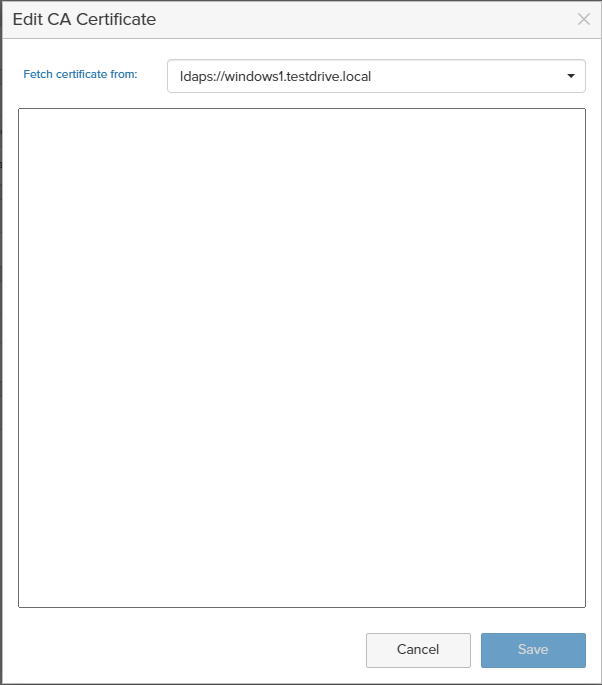
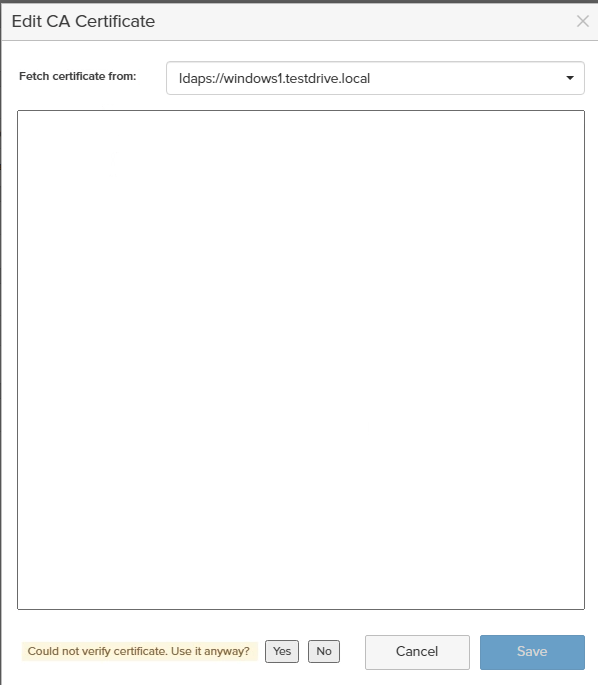
- After selecting "Edit" a dialog box will open. Choose each DC one by one from the drop-down menu, you may then enter the cert info manually, or click on "Fetch certificate from" to auto-fetch the cert and then select "Save" at bottom of the dialog box to continue.
-
Optional: To import the certificate, select “Edit."
-
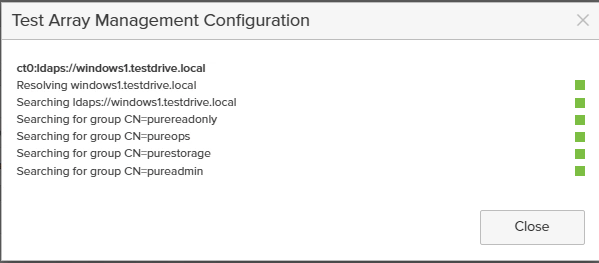
If everything looks correct, click Test.
View the test results:
-
After a completed successful test result, you may enable Directory Services.