This section covers the recovery of an vVol-based protection group from one FlashArray to another. Choose Run on the recovery plan to start the recovery wizard.
This can be run via the planned migration or the disaster recovery process within SRM; there is no significant difference on the FlashArray operations in either mode other than the in the planned migration recovery. All operations are expected to succeed in the planned migration recovery. In the DR mode, any operations on the source site (operations within vCenter, SRM, or the FlashArray) can fail and the process will continue. For the FlashArray, this means that if the source FlashArray is down there will be no final synchronization of changes.
It is always recommended to run recoveries in the planned migration mode--as the fewer failures, the more automatic the eventual reprotect operation will be. Only attempt a disaster recovery operation if the source site is down and a planned migration will not succeed. Complete the wizard to initiate the recovery.
The first operation to run is a synchronization of storage.
This operation reaches out to the target VASA provider to synchronize the latest point-in-time from the source FlashArray. The target VASA provider then reaches out directly to the source FlashArray to initiate a new synchronization.
This will show up on the source FlashArray audit log as a "root" operation on the protection group(s).

The VMs will then be shutdown once the synchronization completes.
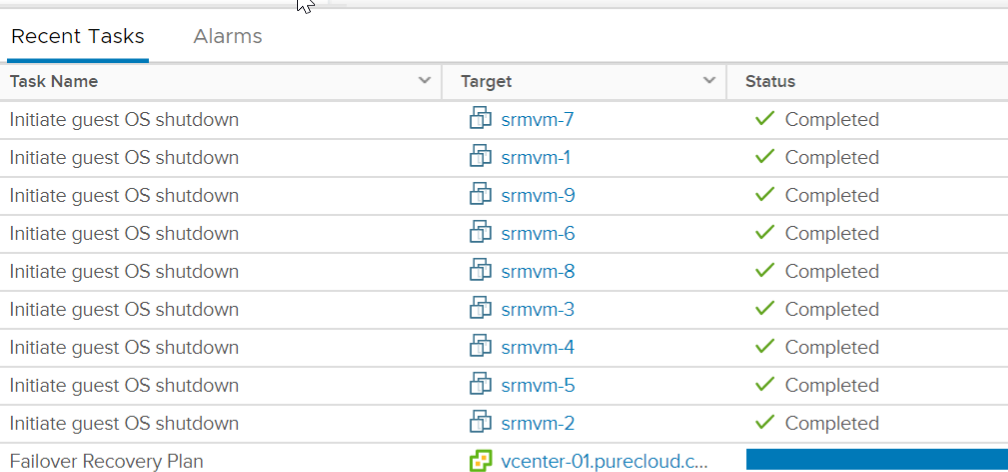
The next step is for SRM to unregister the source VMs and replace them with placeholders. The placeholder datastore chosen is specified in the SRM placeholder mappings.
Note that the placeholder datastore must be a non-vVol datastore.
The vVol VMs will be unregistered but not deleted--they will remain after the recovery in the vVol datastore and on the array.
On the FlashArray.
Once completed, the synchronization will occur one more time--this will be the point-in-time used for recovery. Once the final synchronization completes, SRM will issue the recovery operation to the target FlashArray VASA provider during the Change recovery site storage to writable step.
This process will:
-
Return to VMware the paths of the VM .VMX files on the new config vVols
The volumes, volume groups, and protection group can be renamed as needed between the recovery start and reprotect.
Note:Do not destroy the protection group created by the recovery. If it is preferred to use a different protection group, re-assign the storage policy or move the VM storage using a re-assignment of the replication group in vSphere. Once the protection group is empty, the protection group may be deleted. In general, do not delete protection groups that have SRM-controlled vVol volumes in them--first clear them out using VMware storage policies then delete the group.
VMware will then update the reference files in the file during an operation called updatevVolVirtualMachineFiles.
SRM will proceed to then register and power-on the virtual machines as dictated in the recovery plan.
Thus completing the recovery.